How to rename or delete a detection box?
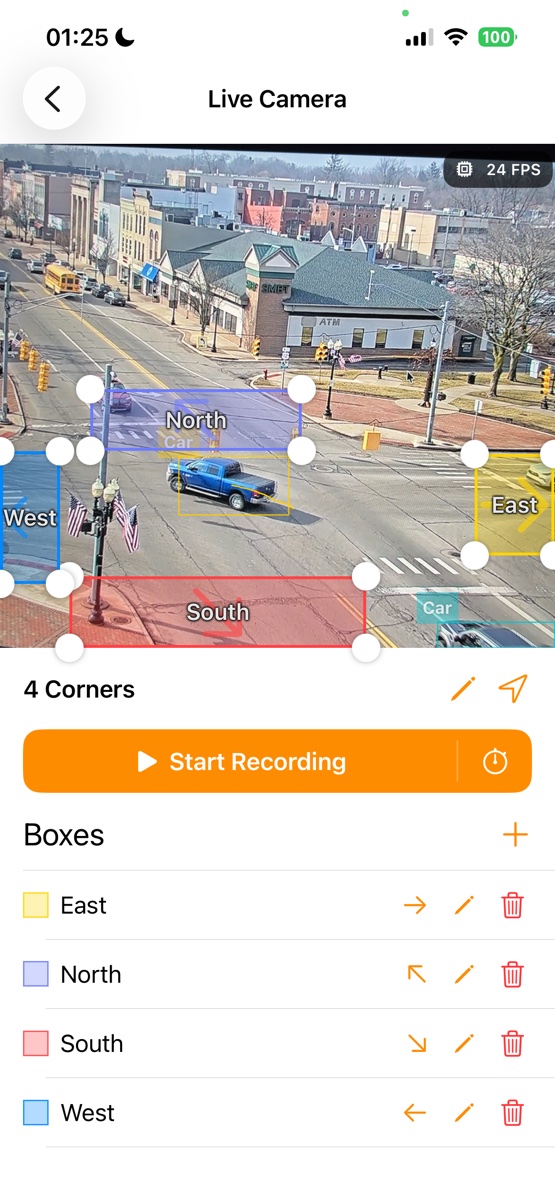
To rename a detection box, simply tap the pencil icon next to its name before you start a recording or analysis.
If you want to delete a box, just tap the trash icon. Please note that you cannot delete the last remaining box, as at least one box is necessary for tracking to function properly.